Activity and Evidence
Every action, job and session recorded with who, what, why and the result, kept in its own store and ready for investigations, reports and your SIEM.
History you do not have to assemble
Section titled “History you do not have to assemble”Anchor records as it works. Every sensitive action keeps the person or service that acted, the authority it acted under, the target, the reason, the result, the time and a reference that ties it to the related job or session.
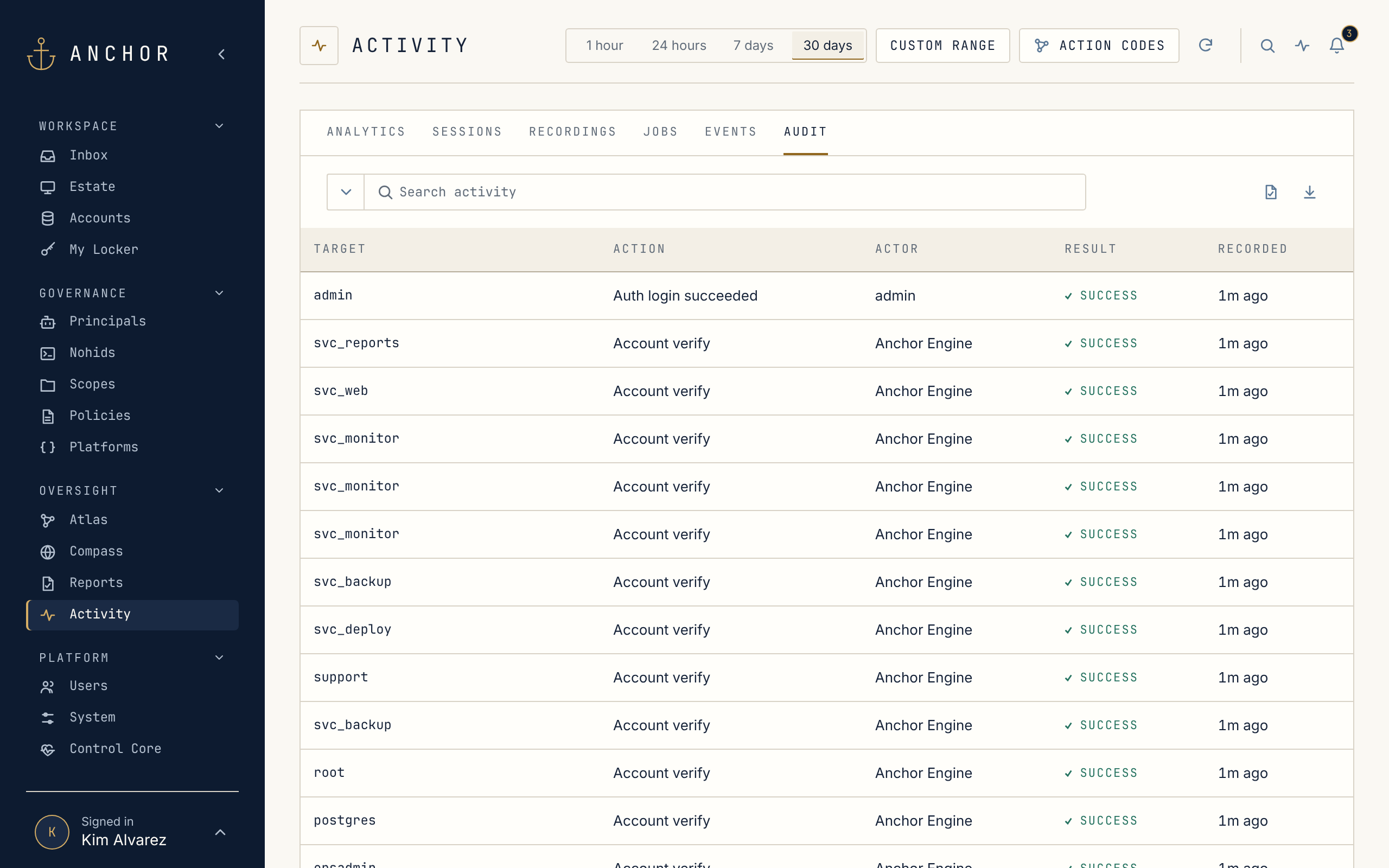
Activity brings it together in one place: Analytics for the trends, Sessions, Jobs and Events for operations, and Audit for the complete record.
A separate Evidence store
Section titled “A separate Evidence store”Audit, session records, recordings and component logs live in their own Evidence store, separate from the credentials. Anchor’s own database login cannot change or delete an audit record. Each record takes its place in a chained sequence that Anchor signs and re-checks on a schedule, so a gap or an edit shows up in Health and raises a critical alert.
Internal alerts
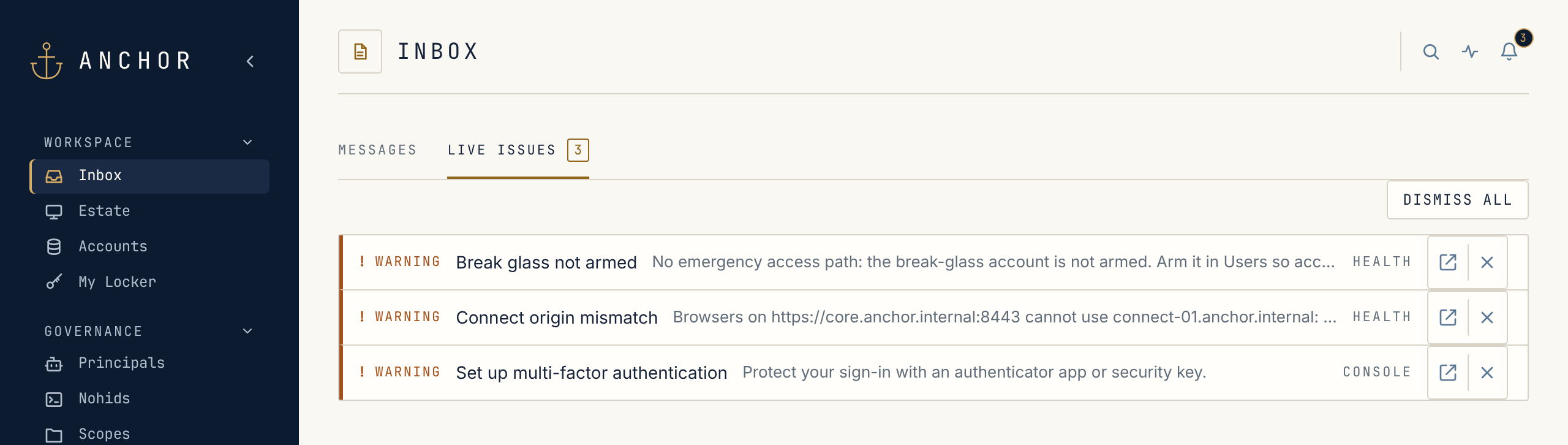
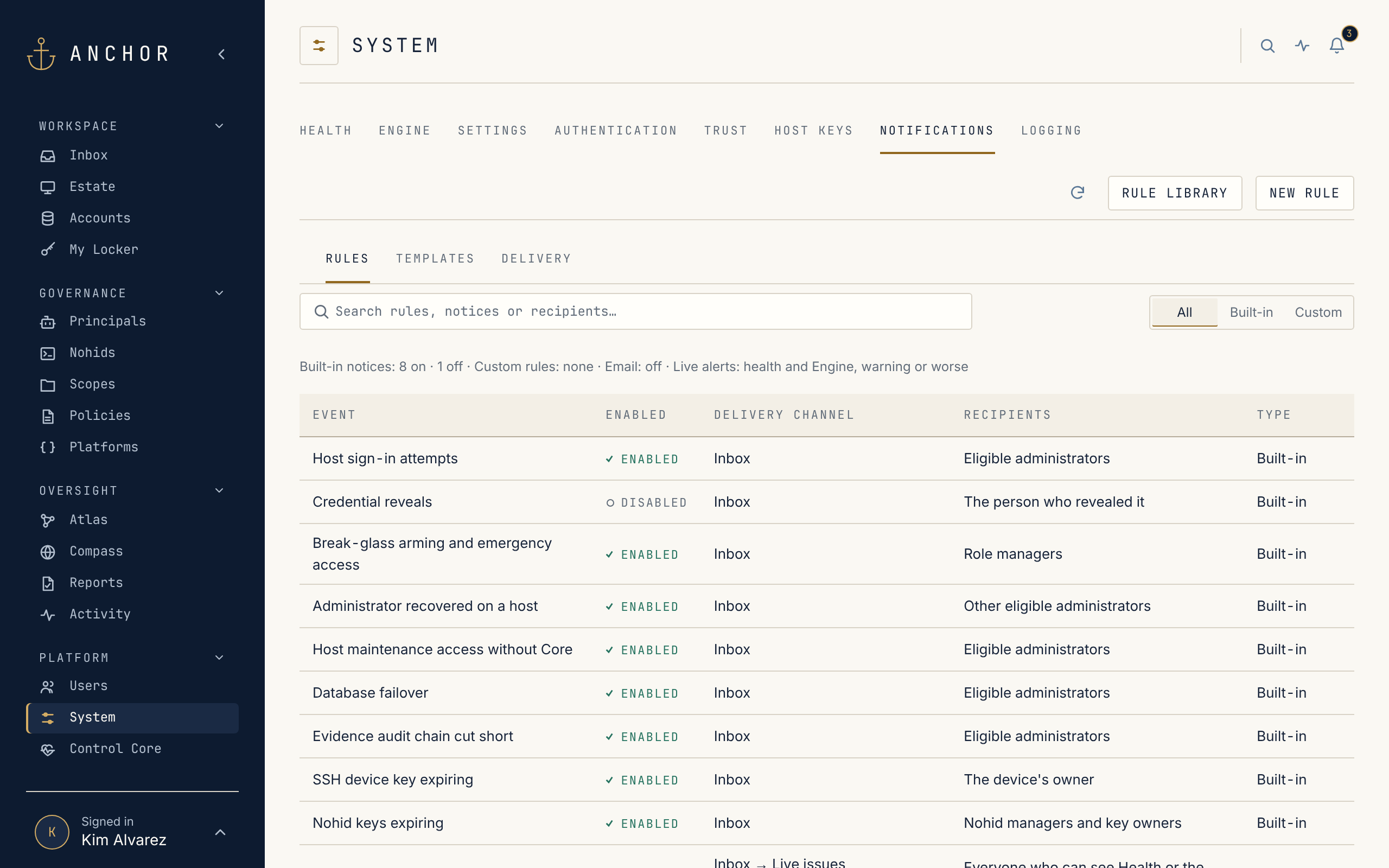
Section titled “Internal alerts”The Inbox carries what needs a person: built-in notices for the events that matter, such as sign-ins on Anchor’s own hosts, break-glass use, a cut in the audit chain or keys about to expire, plus live alerts for component health. Each built-in notice has a level and an audience you choose, and your own rules can add email, with a cooldown between repeats.
Reports for reviews
Section titled “Reports for reviews”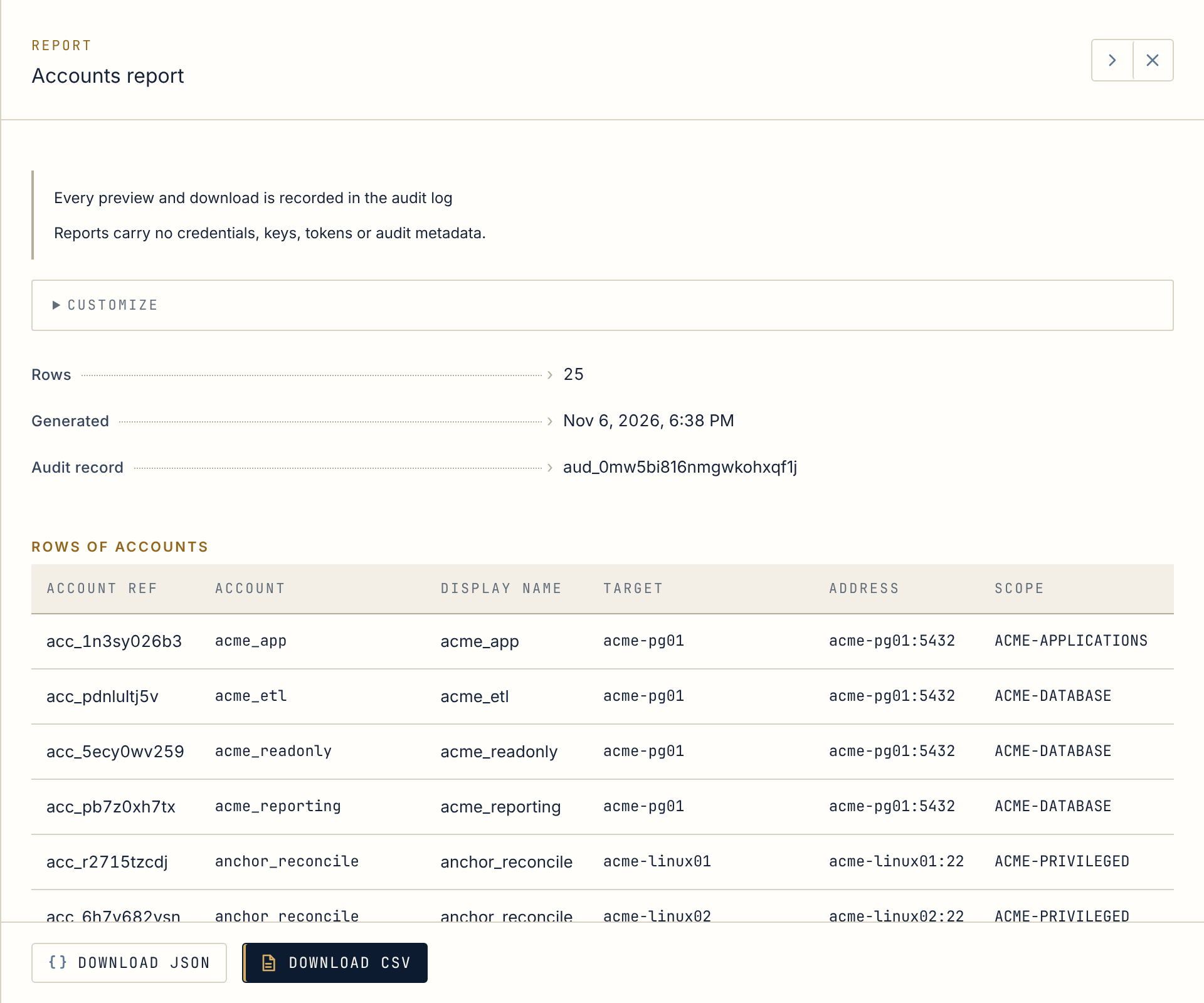
Access, user and activity reports are generated from the same records, never contain credentials or keys, and leave their own trace: who exported what, and when.
Your SIEM reads it directly
Section titled “Your SIEM reads it directly”Your SIEM can read the Evidence store through dedicated read-only views, so Anchor never needs credentials for your SIEM. When you would rather push, Anchor forwards over syslog with TLS, as JSON or CEF. Legal holds keep records past their normal retention while an investigation needs them.
Next stop · 07Compass and InsightsA posture score for the estate and every account, with SOC 2 and NIST controls scored from the evidence.