Running Anchor
See every Anchor service, manage hosts, upgrades and backups, share work across Engines and open maintenance access, from the console or the command line.
Health you can read
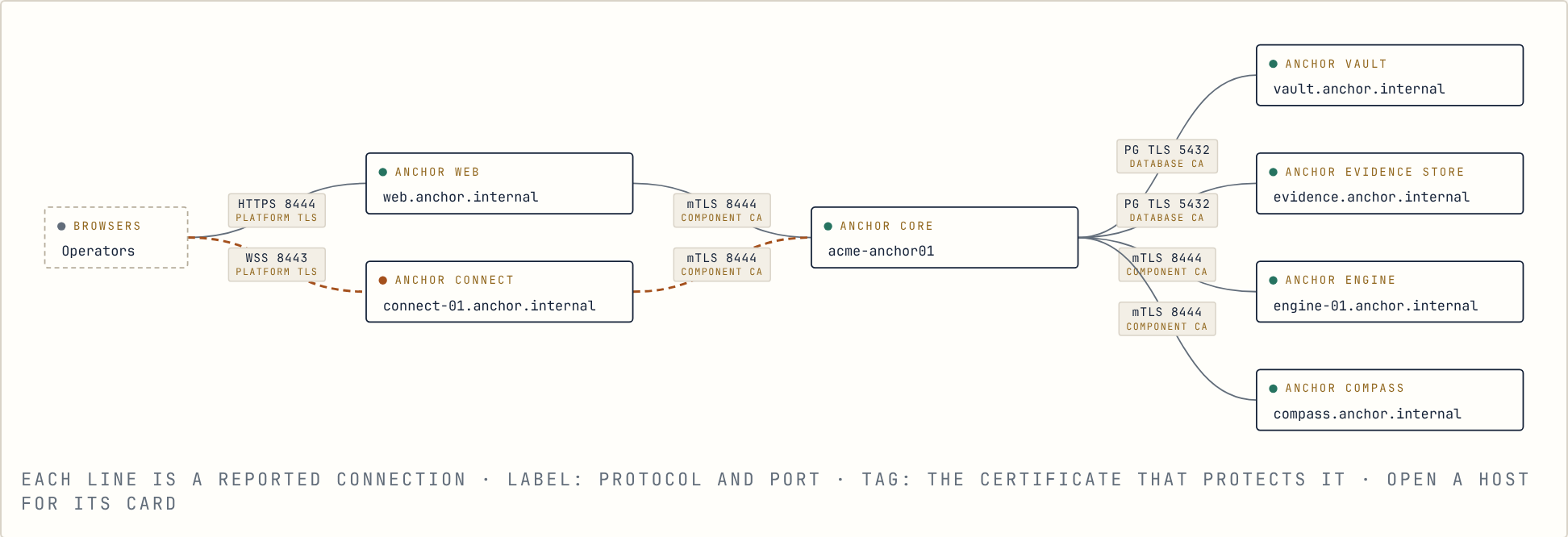
Section titled “Health you can read”System → Health shows every Anchor service and its instances, as cards or as a live map of the connections between them. Each service carries its recent logs, read-only diagnostics, and a redacted support bundle that never contains secrets.
Hosts, upgrades and backups
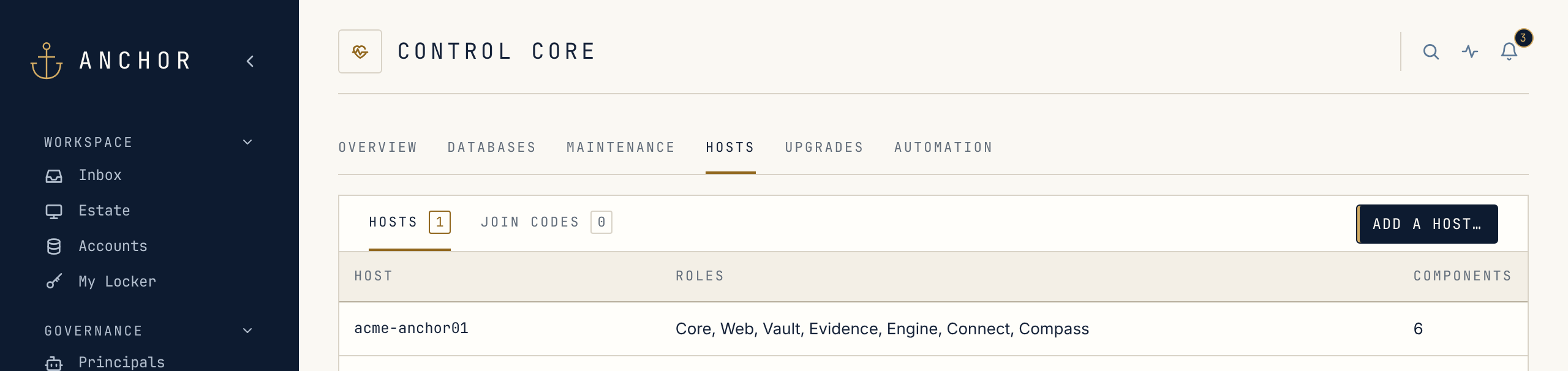
Section titled “Hosts, upgrades and backups”In the console, Control Core is where the deployment is run. Add a host with a one-time join code, remove one with a preview that refuses anything that would break the deployment, and roll out a new release from the same page. Upgrades take one signed release, checked on Core and again on each host, and move host by host in a safe order after a preview. A host is never moved backwards, and a run that stops can pick up where it left off. Plan an upgrade for a maintenance window: services restart as each host moves.
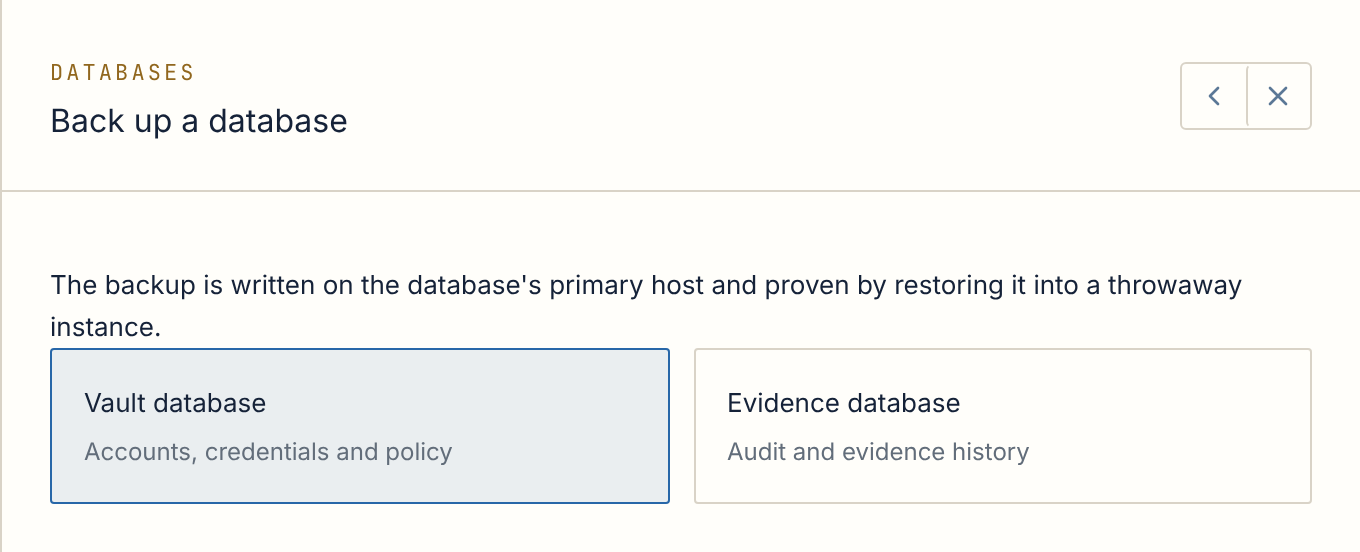
Backups of the credential and evidence databases count only once Anchor has restored them into a throwaway instance and checked the result. Restore drills rehearse recovery the same way, without touching the live database, and each database can stream every change to a standby copy.
Upgrades and backups don’t have to go through the console. The anchor
command line on an Anchor host runs the same operations through the same API,
with the same preview and checks:
anchor upgrade preview --release <sha256>anchor upgrade start --release <sha256> --reason "<why>" --waitanchor database backup --role vault --reason "<why>" --waitEngine pools
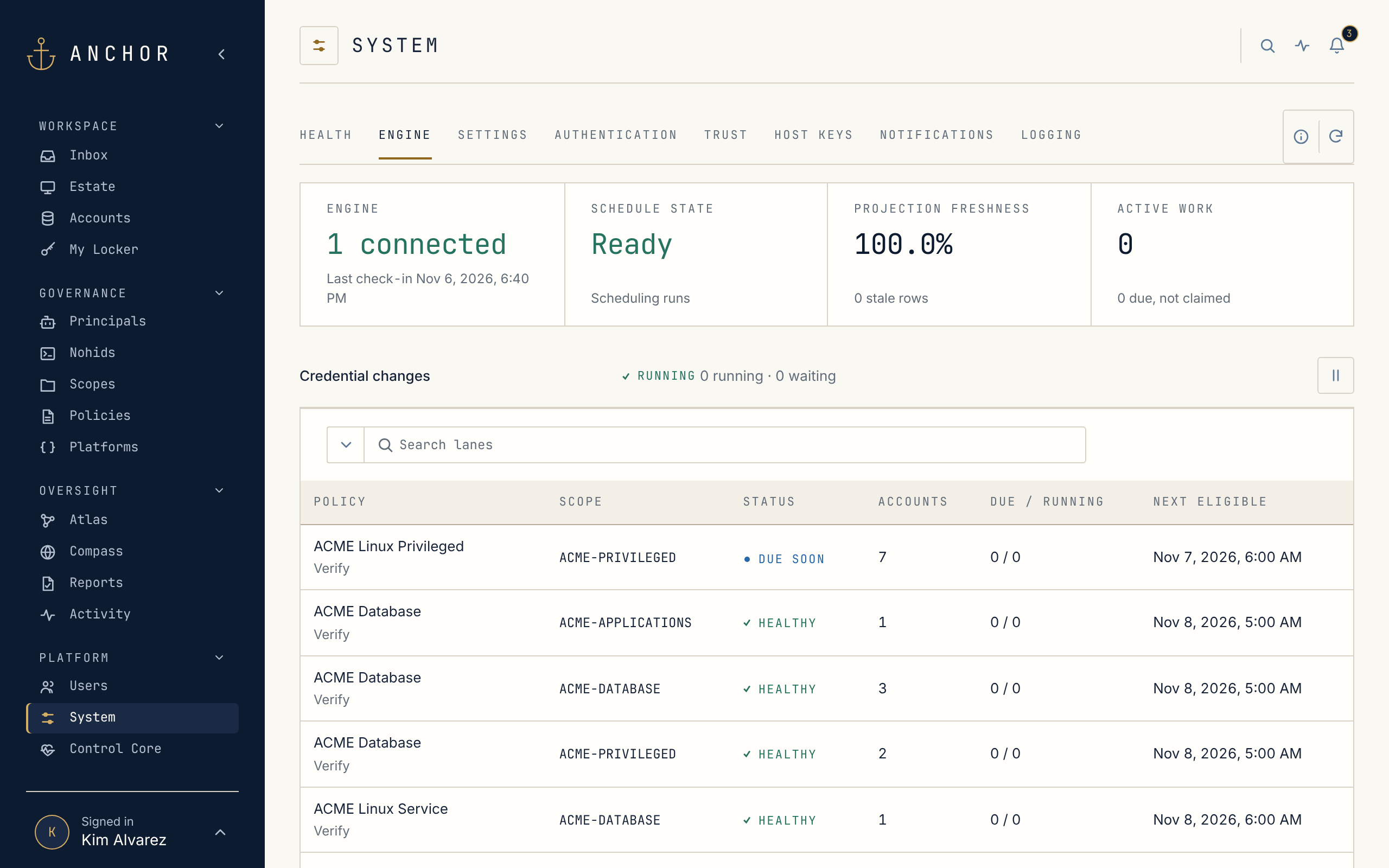
Section titled “Engine pools”Credential work runs on Engines. Engines work as a pool: add another and it takes its share of the verify, rotate and reconcile queue. Each Scope has its own Engine operations switch, and one estate-wide control pauses every credential change when you need everything to sit still.
Maintenance access
Section titled “Maintenance access”When an Anchor host needs hands-on attention, Open maintenance access opens that one host, through its maintenance account, for one to 24 hours. It closes at the deadline.
Tour complete · NextHow It WorksThe components behind the console, and how they connect.